
Search Deal Posts
- View posts from:
- Today
- Yesterday
- 2 days ago
- 3 days ago
- 4 days ago
- 5 days ago



A bunch of today's top deals, we hope they help. Got a favourite? Think one is a waste of money? Let us know

Large Only - Amazon Essentials Men's Slim-Fit Cotton Crew Neck Vests, Pack of 6
➜ https://amzlink.to/az0DXSiJI70on (aff ad)
➜ https://amzlink.to/az0DXSiJI70on (aff ad)

99p Kindle Book Deals for May
➜ https://amzlink.to/az0eYh3F4Bvov (aff ad)
and links for each one in description
➜ https://amzlink.to/az0eYh3F4Bvov (aff ad)
and links for each one in description

We personally wouldn't buy this model (whilst it is still good) there are superior versions available with much better features, however, if you're on a budget / want to dip your toe into robots this is a great price!
Anker Eufy G50 Robot Vacuum now £99.99
➜ https://amzlink.to/az0IQXHO95kxg (aff ad)
↪ Here is what we would suggest people buy instead, ➜ https://amzlink.to/az0GaaNCflGGm we appreciate it's 5x the money, but you definitely get what you pay for with these (~4x suction, vastly superior 'AI' cameras, self-emptying base station, self-cleaning, mop, mop dryer, tangle-free, etc.).
Anker Eufy G50 Robot Vacuum now £99.99
➜ https://amzlink.to/az0IQXHO95kxg (aff ad)
↪ Here is what we would suggest people buy instead, ➜ https://amzlink.to/az0GaaNCflGGm we appreciate it's 5x the money, but you definitely get what you pay for with these (~4x suction, vastly superior 'AI' cameras, self-emptying base station, self-cleaning, mop, mop dryer, tangle-free, etc.).

Did you get this deal? It's a superb price!
Morphy Richards Soup Maker 1.6L £39.99
➜ https://amzlink.to/az0hvduHU5FJK (aff ad)
Morphy Richards Soup Maker 1.6L £39.99
➜ https://amzlink.to/az0hvduHU5FJK (aff ad)

£6.54 Rain-X Cerami-X Detailer Premium - High-gloss ceramic coating - Durable weather and UV protection
➜ https://amzlink.to/az0e7Nb60vsgH (aff ad)
➜ https://amzlink.to/az0e7Nb60vsgH (aff ad)

A few deals for your evening + remember our roundup from this morning! We hope these help!

Flying with luggage is wild at times. What do you do?

Worth grabbing if you're doing an Amazon order today, lowest ever price of £3.50 ➜ https://amzlink.to/az0055hD7Akx4 (aff ad)

These are the best suitcases we've purchased and tested, well worth full price but at this price a steal. £133.69 for the XL (enough space inside for two week trip), the smaller versions are also on offer. ➜ https://amzlink.to/az0FDZ9X8bY8j (aff ad)

A few deals for your morning!

3 x 90g Palmolive Naturals Moisture Care with Olive bar soap, £1.40
➜ https://amzn.to/4n0Rujh (aff ad)
➜ https://amzn.to/4n0Rujh (aff ad)

20% off on selected Stacey Solomon Homeware + free click and collect available
➜ https://10ws.co/3AFhlJN #ad
➜ https://10ws.co/3AFhlJN #ad

 10 sneaky ways supermarkets trick you + how you can beat them
 The Rules of 10ways
 The Odds of Winning an Omaze House: Insight, Risks & What You Should Know 🏡🎲
 The products we use & recommend
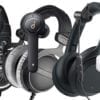 The headphones we use and/or recommend
 “It’s my Birthday, what can I get for free?”
 The Free Watch Scam
 The websites you should bookmark
 Share your Amazon Prime account with up to 4 family members
 How to Save Money on National Trust Memberships – Including FREE Day Pass
- The Rules of 10ways
- 10 sneaky ways supermarkets trick you + how you can beat them
- The Odds of Winning an Omaze House: Insight, Risks & What You Should Know 🏡🎲
- The headphones we use and/or recommend
- “It’s my Birthday, what can I get for free?”
- The products we use & recommend
- The Free Watch Scam
 100 ways to ‘do something’ with your mates without spending a fortune (yes really 100 ways, not 10ways)
- The websites you should bookmark
 Sending a funny/nice letter to waive flight cancellation charges
- 10 sneaky ways supermarkets trick you + how you can beat them
- The Rules of 10ways
- The products we use & recommend
- The headphones we use and/or recommend
- “It’s my Birthday, what can I get for free?”
- The Odds of Winning an Omaze House: Insight, Risks & What You Should Know 🏡🎲
- The Free Watch Scam
- 100 ways to ‘do something’ with your mates without spending a fortune (yes really 100 ways, not 10ways)
- Share your Amazon Prime account with up to 4 family members
- Sending a funny/nice letter to waive flight cancellation charges
- 10 sneaky ways supermarkets trick you + how you can beat them
- The Rules of 10ways
- The Odds of Winning an Omaze House: Insight, Risks & What You Should Know 🏡🎲
- The products we use & recommend
- The headphones we use and/or recommend
- “It’s my Birthday, what can I get for free?”
- The Free Watch Scam
- The websites you should bookmark
- Share your Amazon Prime account with up to 4 family members
- How to Save Money on National Trust Memberships – Including FREE Day Pass
Why we do this?
We got sick and tired of seeing the public, our friends & family being exploited by fake deals, tricks and scammers. Using numerous tools, our dedicated staff and our large userbase we collate all the best genuine bargains, price glitches, profit-making ideas, scams, hidden tricks, freebies and ways to make, save & invest money in one place.
10ways.com provides at least 10 unique ways of saving, making or investing money each day to our 1.2 million users. Primarily we post time-sensitive deals and content on our social media accounts Facebook, Instagram, TikTok and X
How we work
At 10ways we pride ourselves in showing as many alternative career paths, deals, glitches and ways to have more money as possible but we're not perfect and the information provided on our website/social media does not constitute financial advice, it's vital that you do your own research and realise you use the content on this website at your own risk and that we cannot accept any liability for your actions.
Links & Prices
We often link to 3rd party websites and can't be responsible for their content. Many deals, offers & opportunities are time sensitive and may change before we notice, so whilst they're correct at time of publication they may have changed before we've had a chance to amend the website, so double check first.
We occasionally use affiliate links within some of our content, these links may generate a small income for us but their use never compromises the quality or content of our posts.

© Copyright 2026 - 10ways.com
The problem: Your phone is often unlocked, and normally tracking it's live position to 'Find My' app and thieves know to disable all connectivity as quick as possible so they put your phone into Airplane mode to give them some breathing time.
The solution: Apple Shortcuts app with a combination of automated tasks that start as soon as your phone is put into Airplane mode, these include:
1) Turn Airplane Mode off (so your phone is forced to connect to the internet again instantly, allowing you to lock it down further remotely and/or start tracking it's location).
2) Lock the phone (obviously having a locked phone is better than one that's unlocked).
3) Snap a photo from the front camera and save that image to your iCloud (unlikely to give you much as they often wear face coverings but you never know).
Here is how to set it up for iPhone (you can do similar on Android using apps like Tasker):
1) Open Apple Shortcuts App.
2) Go to: Automation (bottom menu bar) > Press '+' > Select 'Airplane Mode', Mark Run immediately > Create New Shortcut
3) Search and add Camera > 'Take a photo' > Select Front Camera > Turn off 'Show Camera Preview' (it's a dropdown)
3) Search and add 'Save photo to recents' (You can also add the photo option to several other automations if you wanted).
4) Search and Add 'Lock the screen'
5) Add 'Turn Airplane Mode Off'
Go and test it.
You can customise this to do a bunch of other things e.g. send phone location to
Only slight issue is when you're on a plane and they say 'please turn your phone to airplane mode' and you have a mild panic, but this can be overcome, just go to the shortcuts app and disable it.
Note: if you're on Android / Samsung you can do similar with those operating systems or similar apps (sorry we don't use those devices so don't feel comfortable recommending any but hopefully others in the comments can help).